A presentation tool of any type - low or high tech have has existed in teacher toolboxes for a long time. Microsoft PowerPoint has existed since May 22, 1990 (32 years ago) and Google Slides initial release date was March 9, 2006 (17 years ago). Nothing new!
I remember the countless hours spent (on either presentation software) making presentations look just right.
Trying to find the perfect ratio of text to pictures.
Trying to find the right variety of layouts so my presentation was interesting and engaging.
Trying to not overwhelm the students with not a lot of one thing.
Only to repeat all of the above time wasters again to "improve" the presentation because I learned to use a new tool or discovered a new layout or new colour combinations. I didn't even mention the number of experiements that tool place with transitions and animations.
I stumbled upon, what I consider to be a Replicable Practices website that can help eliminate some of the time wasters above.
Wow, has it been that long? I cannot believe so much time has passed since my last post. Curious? I was. I took a moment to try and calculate how long it has been since my last post (in other words I tried to find a date-to-date calculator). Thanks to timeanddate.com I figured out that it has been 512 days from my last blog entry to this day or 1 year, 4 months, 26 days.
Alternatively, for those that like this sort of math stuff it has been:
44,322,383 seconds
738,706 minutes (rounded down)
12,311 hours (rounded down)
512 days (rounded down)
73 weeks (rounded down)
140.55% of a common year (365 days)
So why not follow up with an equally ancient web tool, RSS & Newsreaders.
This little unfamiliar icon refers to a news feed, or a Rich Site Summary. Web users can use a compatible browser or a news reader to stay informed. Users are able to stay informed by getting the newest information posted from the websites you most frequently visit. As an example this blog (shameless I know). Still confused? Check out the YouTube Video.
Imagine if you were gathering up to date / minute news on a current event or scientific discovery. Perhaps you are a history teacher covering a particular day in history or a technology teacher tracking the Internet of Things. Using an RSS enabled internet browser or news reader not only saves you time but also allows you to be right up to date to provide timely information to your students.
This makes teaching easy.
Well that may be a bit of an exaggeration, however
managing, consuming, broadcasting and reproducing information found
online has become more manageable, more efficient and more personable,
more exact and more relevant. Can I get a little help on how to
choose the sweetest oranges?
Several major sites such as Facebook and Twitter previously offered RSS feeds but have reduced or removed support. Additionally, widely used readers such as Shiira, FeedDemon, and Google Reader have been discontinued having cited declining popularity in RSS. However, RSS still remains a widely used standard. RSS support was removed in OS X Mountain Lion's versions of Mail and Safari, although the features were partially restored in Safari 8. As of August 2015, Mozilla Firefox and Internet Explorer include RSS support by default, while Google Chrome and Microsoft Edge do not. Additionally, reader services such as Feedly provide synchronization between desktop RSS readers and mobile devices.
Part of every teaching dilemma or more specifically part of the planning process when creating a lesson is finding ways to attract (buzzword: hook / engage) students into what knowledge or skills you are trying to share with them. Being an avid user of Microsoft Power Point for many lessons I had noticed that students were becoming bored or uninterested in Power Point presentations. Too much is too much. Not only were my students becoming unusually rowdy but they had a look on their faces that suggested "Again? Give us a break from Power Point." Searching for alternatives I remembered attending a meeting about technology in the classroom and jointing down a brief note on a new presentation tool called PowToon.
PowToon yells out to Teachers and enthusiastically says - "Flip your classroom, inspire, engage and delight your students."
"allows users to create colorful, visually engaging animated Powtoons (presentation - cartoon mashups) with drag-and-drop simplicity...PowToon wants to also make a difference in the education sector and our tool is designed to allow education professionals (and students) to create content that is visually engaging, captivating and fun to make.
Signing up for a free Flickr account was simple. The wonderful thing about the signup process was that any user has three options (the more options the better). Each user can sign up for a new account (associated with Yahoo), use an existing Yahoo ID or they can use an existing Facebook ID or Google ID. I already had a Yahoo Account (Renaissance Professor) therefore I did not have to memorize another signup name and password for a site that I may or may not use.
I am finding myself daydreaming about other nostalgic places and therefore decided to revisit a couple of childhood communities. I took a couple of snapshots with my iPhone 4s (enabled Geo-tagging), signed up for a Flickr Account, uploaded the photos, changed their privacy settings to public, reviewed the license agreement and tagged. I then decided to map the photos on the Flickr map. The process was easy and I can see how this tool can be addicting.
Here are the set of three photos that also mark earlier milestones in my life:
Avon Ave by Renaissance Professor, on Flickr
Keele Subway Station Outdoor Waiting Platform by Renaissance Professor, on Flickr
Keele Subway Station by Renaissance Professor, on Flickr
These spots are very important to me because this is where I grew up. What and where would I explore today? I cannot count the number of almost falls I had running down these steps at the Keele Subway Station. Never wanting to miss my bus as I heard the rumble of its engine as the bus pulled into the bay.
My photo experience and using Flickr was a positive one. Uploading pictures was easy. It took a while to get all the settings in the Flickr account just right but once they were set they became the default for every other photo I uploaded. I really liked placing the photos on the Flickr map. Enabling the Geo-Tagging feature on the phone is a great feature.
Teachers can use Flickr and associated tools in many ways. Consider an interactive and visual story line for writing assignments, historical associations to modern landmarks or photo journalism to virtually any topic.
Before creating a free Flickr account I decided to explore The Tour and read the FAQ.
I rummaged, searched, explored and discovered and interesting image that I share with you below. I suggest you do the same.
Angele Menard by H.A.T. Photography, on Flickr
This old barn can be found at the Adamson Estate, which forms the eastern boundary of Port Credit, Ontario. Why is this old barn significant? The barn represents an important milestone in my life, awhile back I also had my photograph taken at that exact spot.
The students in my class are very opinionated. I often hear them get into fiery discussions with their peers about who is the best basketball player, favourite recording artist or favourite team in any given sport. They are also very good at coming up with advantageous reasons as to why they should not be in school uniform or why they should not receive a zero for an assignment they may or may not hand in. However when student's are asked to write an opinion essay they become so burdened, listless and lethargic in getting pencil to paper (fingers to keyboard). Of course I go over with the class countless examples and writing guides on how to write and effective opinion essay but somehow they do not seem to enthusiastic about it (I do not blame them, since the my old way was a snooze). Personally I happen to think it is the term 'essay' extinguishes their writing flame despite the fact that they can argue with some incredible points of view. One idea that I would like to explore to further my own replicable practices when it comes to delivering a lesson about writing an opinion essay is through the use of Comic Creators.
Stephen Downes (http://www.downes.ca) is a Senior Researcher with the E-Learning Research Group, National Research Council Canada, Moncton, New Brunswick. Comments on this article can be sent to the author at stephen@downes.ca.
How to write a newspaper article is a skill that I guide my students through in a series of lessons. The reason why I really enjoy these lessons is because I only initially share with my students some guidelines. The rest is up to them. Through student exploration, research, polling and a culminating whole class example the lesson and curiculum expectations get processed through.
I am excited to try this new tool and incorporate it into my next series of newspaper writing lessons. English teachers and media teachers might also want to explore this site.
The Canadian Broadcasting Centre better
known as the CBC is Canada's national public broadcaster. For years I
have been watching their top quality TV programs and special documentaries.
More often then not I have found inspiration relating their programming
content within the context of my lessons. By doing so I have developed
interesting lessons and lesson extensions and have hopefully sparked a
curiosity within the students. I share with you a CBC Learning Blog that hopefully you can use the ideas found within to develop your own replicable practices. Thank you CBC.
Author: Kate Hammer
Published Monday, Dec. 12, 2011 5:00AM EST Last updated Monday, Dec. 12, 2011 7:09AM EST
Directly copied from the article:
Students in Ontario are among the most proficient readers in the
world, but those bragging rights may have come at a cost: The joy of
reading.
A new report released Monday by education advocacy group
People for Education finds that while literacy and standardized test
scores have climbed over the past decade, the number of students who
report that they like to read has dropped, from 76 per cent of Grade 3
students in 1999 to 50 per cent in 2011.
Stephen Downes (http://www.downes.ca)
is a Senior Researcher with the E-Learning Research Group, National
Research Council Canada, Moncton, New Brunswick. Comments on this
article can be sent to the author at stephen@downes.ca.
I
had to watch the video a few times before I began to understand the
concepts that Sir Ken Robinson was referring too. When I think of
education reform I think of it in terms of Newton's Cradle.
Some
external catalyst or motivation begins the motion to reform education.
In this case the catalyst for educational reform is the preparation for
the changing economy in the 21st century and the the maintenance of
cultural identity. Both in my mind very valid starting points to trigger
reform. Using Newton's Cradle then the ball represents the idea of an
education reform. Once the ball or reform is released it goes through a
series of cultural and societal institutions.
Each institution
takes a piece of that reform, absorbs it, and in turn (hopefully??) uses
it to change educational practices. However, if with each transfer of
idea the only thing that takes place is the absorption the reform
eventually stops. In other words the pendulum stops swinging since all
energy has been used. What needs to happen in order to keep the pendulum
swinging is a reinvention and application of a particular educational
reform so that new reforms can contribute back and redistribute ideas
(energy) back to the institutions thus maintaining momentum.
Educators
need to embrace the new reforms which in many cases do not come from
the professionals or other institutions but from the learners
themselves, the students. I like to think of myself as the student rather than the teacher.
After
reading the article I could not help thinking back to the summers I had
spent with my grandfather and grandmother. There was never a summer day
that went by where my grandfather did not repeat his personal motto to
me. He would say:
Michael take time to learn anything
and everything you can. Learn a skill no matter how big or how small,
one day you will be thankful that you learned that skill, it will serve
you well. Learn it, set it aside but do not forget it. (Ernesto
Salerno)
The 15 steps to cultivate lifelong learning
speaks to me on a very personal level. Step 2 "keep a to learn list" and
step 3 "get more intellectual friends" are two steps that I am very
thoughtful in carrying out. It would be a challenge to have everything
on your to learn list crossed off since the list is continually growing
however it keeps the learning process moving forward, creating many sub
or side lists to work from. Surrounding myself with intellectual
friends can be intimidating and uncomfortable but it is within that
uncomfortable feeling that learning takes place. My career as a teacher
has certainly helped me carry out both steps.
As I was settling into my morning school routine I overheard a couple of special education teachers discussing a story they had seen on the CBS News program 60 Minutes. Their conversation centered upon how autistic students can (through the use of Apps and iPad), communicate their wants or needs to teachers, parents and friends. In other words a possible solution to give students with severe autism the ability to express themselves.
Taken directly from the Aviva Community Fund website:
In the insurance world Aviva knows how to provide the best protection
for your car, home, or business. But, we recognize that you know better
than anyone what's needed to improve your community. That's why we created the Aviva Community Fund competition to help
make a positive impact in Canadian communities - whether that's through
providing new opportunities for at-risk youth, education, helping the
environment, or cultural activities - by funding local and national
initiatives for change. We care about our communities, and we know you
do too.
...hire additional teaching
assistants and modify a number of classrooms with round desks at which a
teaching assistant could be able to monitor and instruct five students
in a more beneficial ratio of assistants to students while the teacher
instructs and monitors the classroom and the need for any extra guidance
for a particular student. Rather than hiring teaching assistants from the traditional hiring
pool of candidates we would like to reach out to the community of the
immigrant parents of our students.
I support his idea and if you also see value in it I kindly ask and encourage you to register and vote. Registration takes a few minutes and you can vote online up to fifteen times up until noon, October 19th.
Has developed a great web resource that is "designed to help secondary teachers integrate strategic reading instruction into their curriculum." The subsidiary site contains links to a number of excellent resources.
Copied directly from the site:
Strategy Tool Box - Brief descriptions of reading
strategies for teachers to use in their classes.
Teacher-Tested Strategies - Practicing teachers
used these strategies and created a database of what works.
Web Links - Links will take you to other strategic reading
sites.
Research - The Department of Education site to inform educators
about research supporting strategic reading in secondary
education.
Bibliography - Great resources in
print and media that can help teachers help their students.
I stumbled across this website when doing a search for Persuasive Writing. Copied directly from the About Us link on Slideshare.net:
SlideShare is the world's largest community for sharing presentations.
With 50 million monthly visitors and 90 million pageviews, it is amongst
the most visited 250 websites in the world. Besides presentations,
SlideShare also supports documents, PDFs, videos and
webinars. SlideShare features a vibrant professional and educational community
that regularly comments, favorites and downloads content....Anyone can view
presentations & documents on topics that interest them, download
them and reuse or remix for their own work.
This is a the second in a series of posts that examines some of the
resources I had bookmarked when I was preparing replicable practice
resources for my GLE2O1 class. The primary way that I used and modified
this resource was to help prepared the students for the Ontario Secondary School Literacy Test.
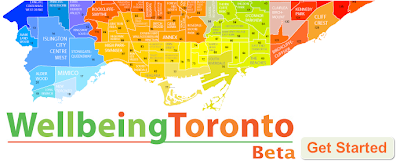
A new site was launched about the City of Toronto. A valuable tool for several reasons. It helps satisfy the curiosity that Torontonians have about where they live. Comparisons can be made between neighbourhoods to help people make decisions. Students can use the site through a number of school subjects such as careers, civics, geography, urban planning, business, environmental studies, math etc. Teachers can use another visual and technological means to give students other perspectives.
Wellbeing Toronto is a new web-based measurement and visualization tool that helps evaluate community wellbeing across the city's 140 neighbourhoods. Using geographic information software, Wellbeing Toronto allows you to select, combine and weight the significance of a number of indicators that monitor neighbourhood wellness. The results appear instantly on easy to read maps, tables and graphs. This free tool supports decision making and seeks to engage citizens and businesses in understanding the challenges and opportunities of creating and maintaining healthy neighbourhoods. You can also find detailed demographic information about each neighbourhood.